
Governance and security
Know what each person sees before they open it.
One set of rules decides who opens a report and which rows they get, on every screen a number appears on.
One report, opened by three people
The four questions a security review asks
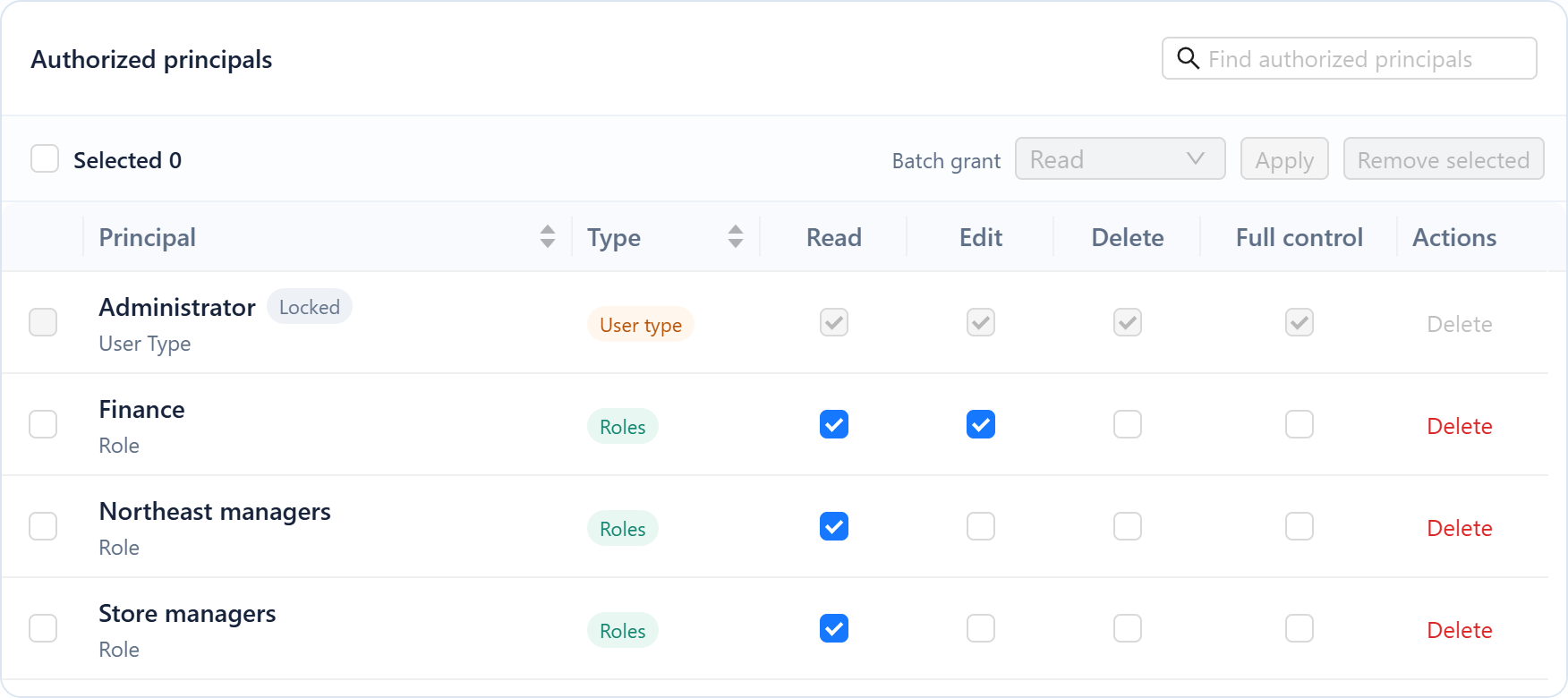
Who can open it
Permissions on everything people can open
Grant read, edit or full control to a person or a role, on a folder or a single report.
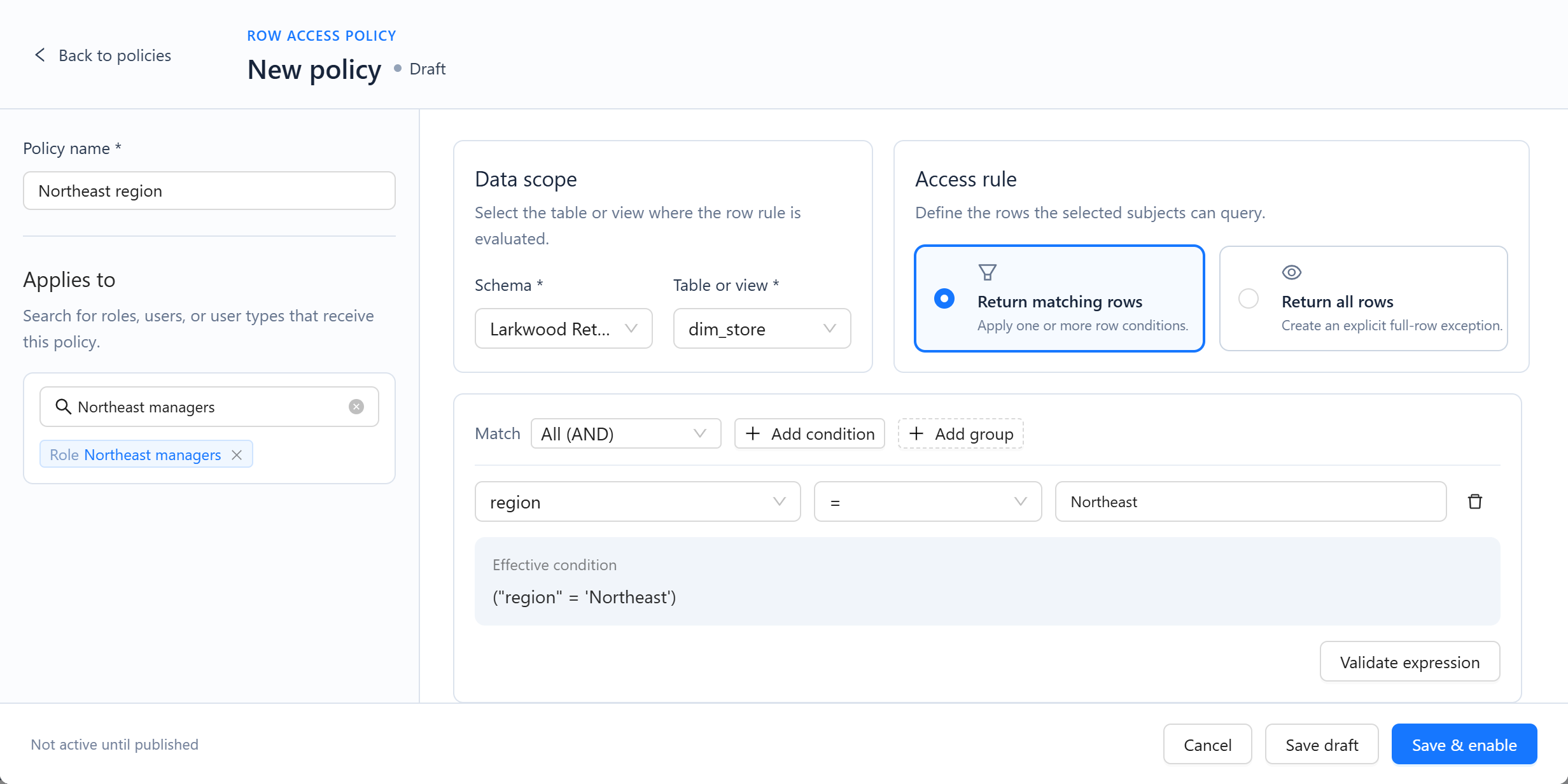
Which rows and columns
Row and column rules, written once on the data
Say who a rule applies to and which rows they get, test it as any user, then switch it on.
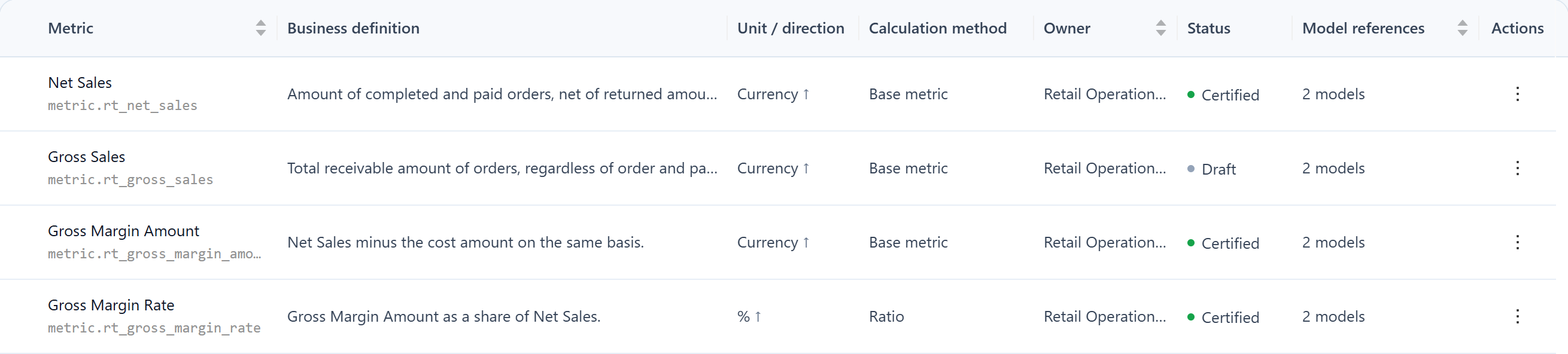
Which definition
The same name, the same number
Each metric is defined once in the model and certified by the team that owns it.
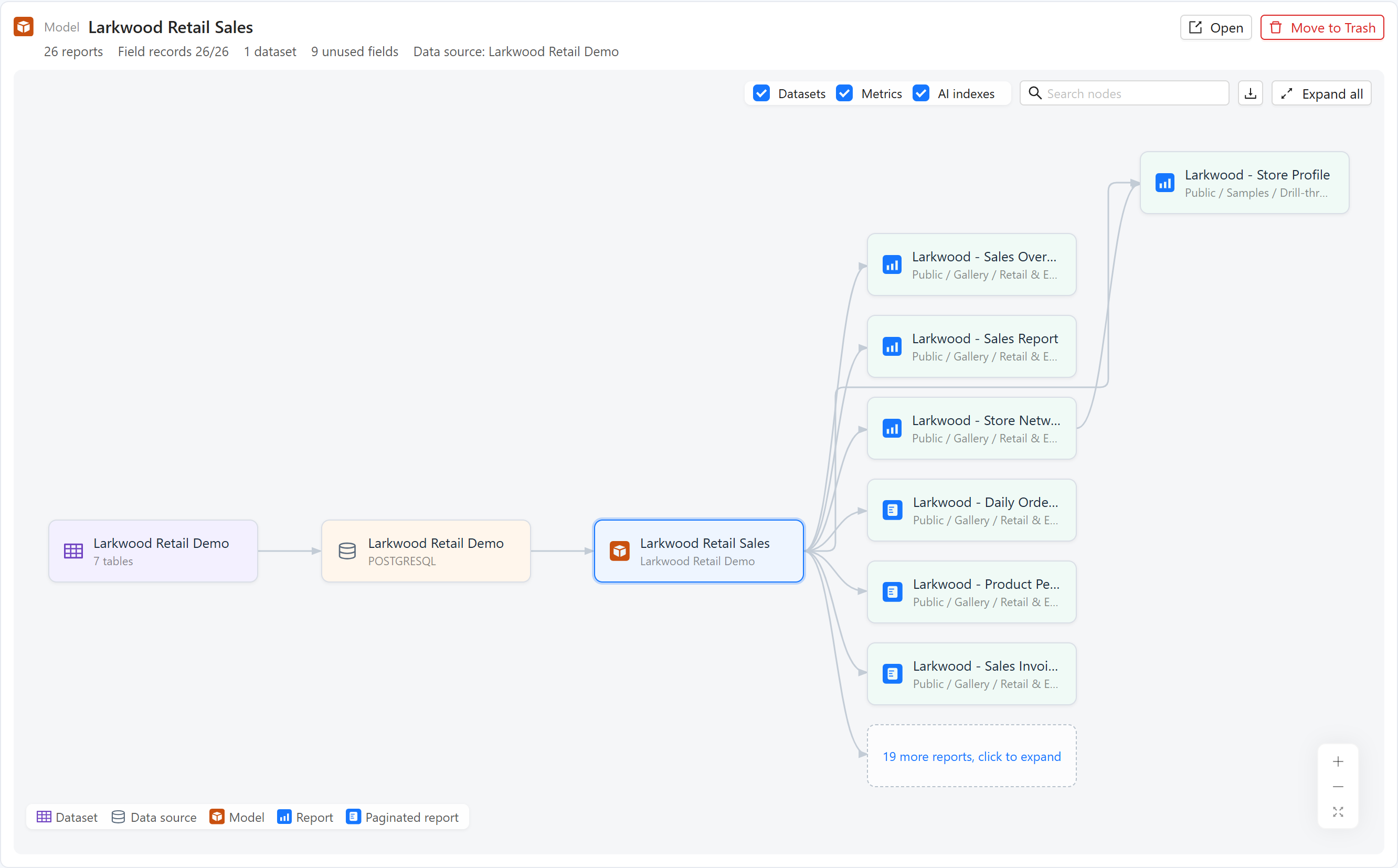
What a change touches
See what breaks before you change it
Lineage follows a model from its tables to every report and metric that reads it.
Every way in
However people arrive, they arrive as themselves
Rules follow the person, so every way in signs that person in first, and an audit log keeps the record.
- Your staff, through single sign-on
- People inside your product
- Claude, ChatGPT and Cursor
- Each customer, as a tenant of its own
Frequently asked questions
Where are row and column rules defined?
On the data source, table by table, under Data security. Every model built on that data source uses them, so they hold in dashboards, paginated reports, embedded reports and AI answers.
Can I check a policy before people rely on it?
Yes. Validate expression runs a condition with your own account while you write it. Test access then simulates a user, a role or a user type against the enabled policies and shows the condition, the visible fields, the policies in effect and up to fifty rows.
What happens when two policies disagree?
Rows add up: someone matched by two row policies gets the rows of both, and a Return all rows policy lifts the limit for that table. Hidden columns add up too: one policy cannot reveal what another hides.
Do administrators see everything?
Yes. The built-in Administrator and SuperUser roles are not limited by data policies, which is why rules are checked with Test access rather than from an administrator’s account.
Which single sign-on methods are supported?
LDAP, OAuth 2.0, SAML 2.0 and CAS, each able to create people on first sign-in with a default user type and role. Embedded users arrive with a token your backend signs; AI clients use a personal token.
What does the audit log record?
The operations an administrator chooses, from thirty-three: sign-ins, reports, share links, folders, models, data sources, dictionaries, parameters, tokens, and every change to a row or column policy. Records are kept for the number of days you set.
Do share links respect row-level security?
A share link runs as the person who created it, so everyone who opens it sees what that person sees. Use share links for pages everyone may read, and sign people in for anything that differs by person.
Bring the rule that matters most.
By region, by store or by customer. Watch it hold in a dashboard, inside a product and in an AI answer.