
Connect
Your numbers, in the apps your team already has open.
Ask from Claude or ChatGPT, get reports and alerts in Slack or Teams, and every figure still comes from Datafor under your own permissions.

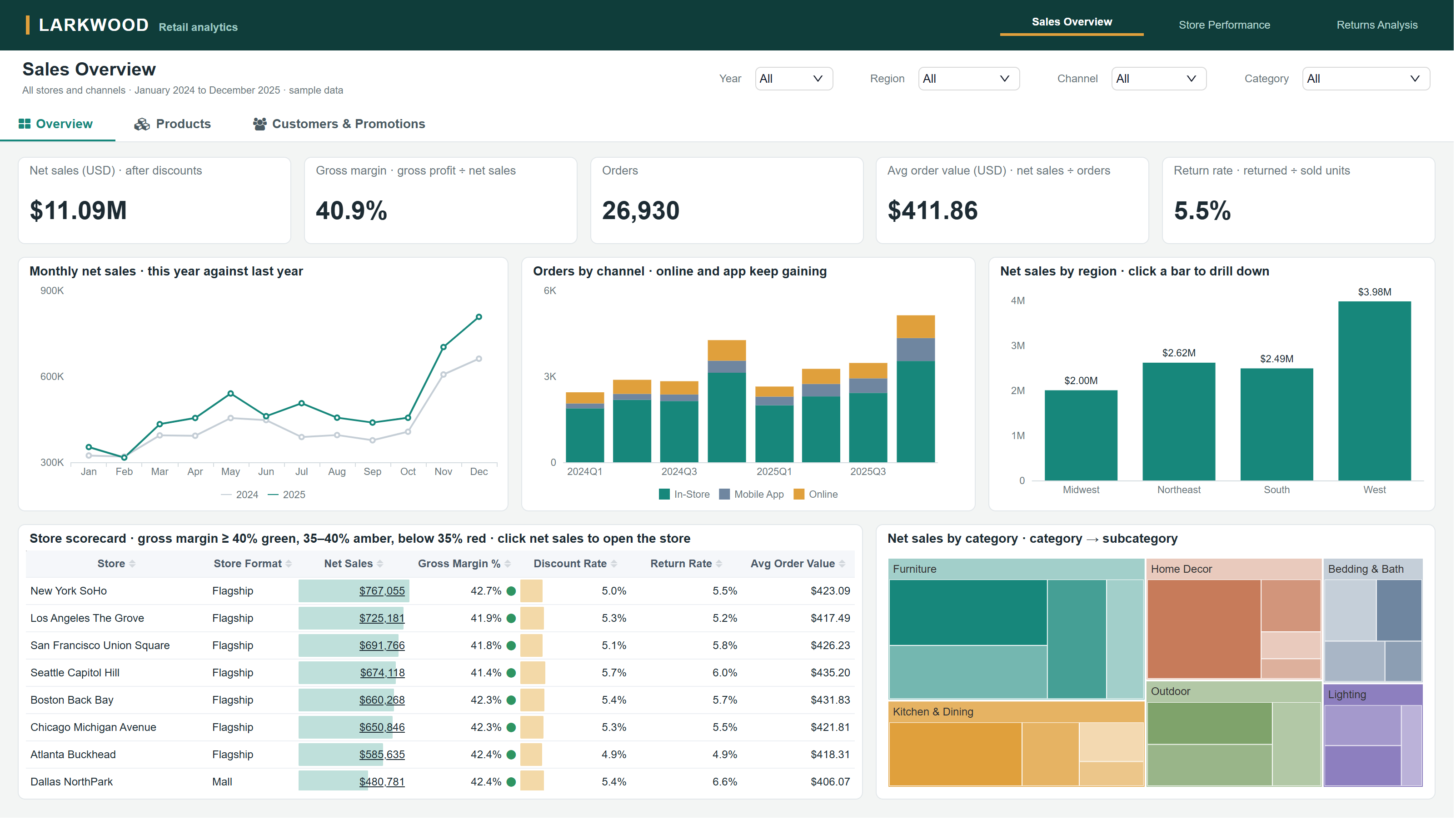
Works with what you already use
AI assistants
Ask from
- Claude
- ChatGPT
- Cursor
- VS Code
- Codex
- WorkBuddy
- Doubao
- Any MCP client
Team chat
Delivered to
- Slack
- Microsoft Teams
- Lark
- DingTalk
- WeCom
- New apps arrive with most releases.
AI assistants
Every number comes from Datafor
The assistant writes the words around it, and each question runs as one governed query.
Team chat
Reports and alerts arrive where the team talks
Subscribe to a dashboard or set an alert once, and it lands in Slack, Teams, Lark, DingTalk or WeCom.
Control
Each person connects with their own token
Issue one for each app, and revoke it the moment it is not needed.
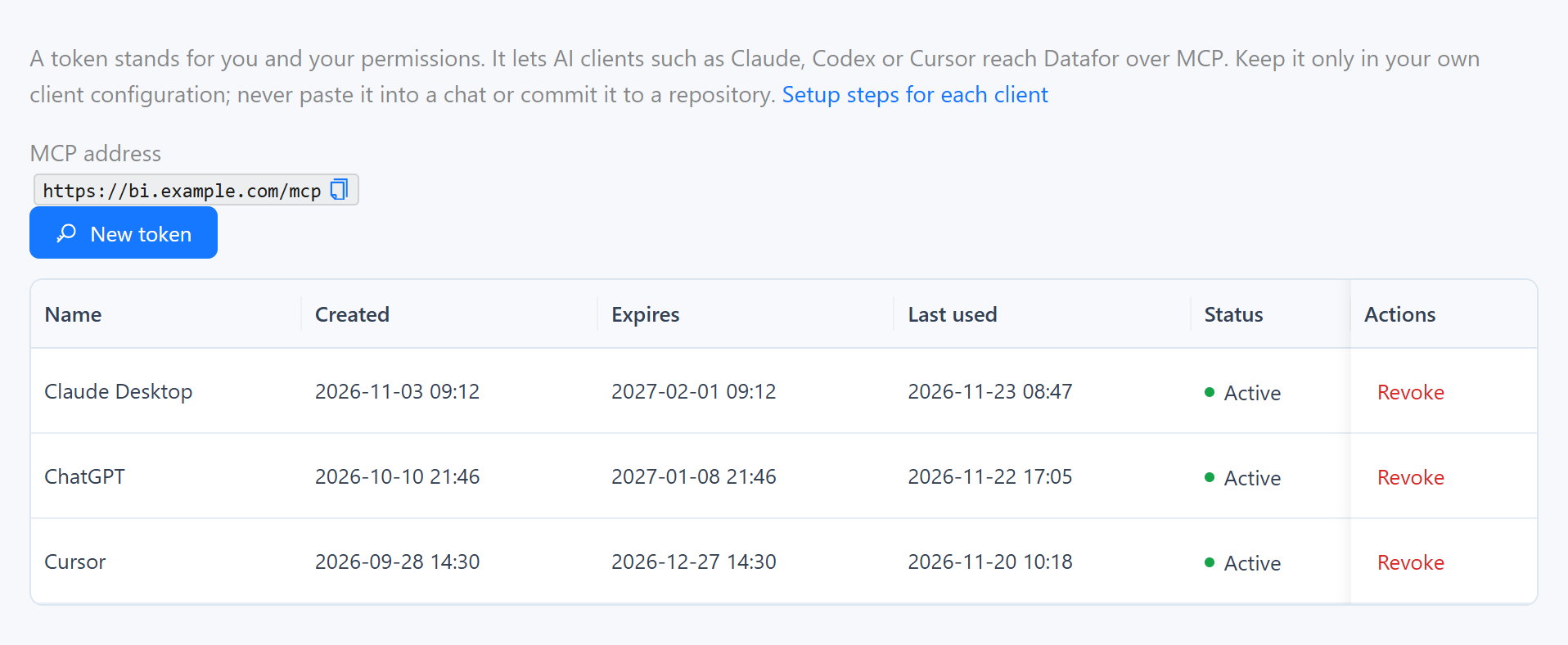
- Your permissions
- What you cannot open in Datafor, the assistant cannot see.
- Read only
- It runs queries and changes nothing.
- An end date
- Every token expires, and you choose when.
Set up
Connected in about two minutes
- 1
Create a personal token
In Datafor, under My account.
- 2
Add Datafor to your app
Paste the token and the address.
- 3
Ask
“Use Datafor to list the models I can access.”
Chat apps are linked once, under My account.
Terminal
claude mcp add --transport http datafor "<MCP address>" \
  --header "Authorization: Bearer <token>"
Settings > Extensions > Install extension (datafor.mcpb)
URL             <MCP address>
Personal token  <token>
ChatGPT desktop and Codex: ~/.codex/config.toml
[mcp_servers."datafor"]
url = "<MCP address>"
tool_timeout_sec = 600
[mcp_servers."datafor".http_headers]
"Authorization" = "Bearer <token>"
Cursor, VS Code and others: the MCP configuration file
{
  "mcpServers": {
    "datafor": {
      "type": "http",
      "url": "<MCP address>",
      "headers": { "Authorization": "Bearer <token>" }
    }
  }
}
claude.ai and ChatGPT, signed in with OAuth
claude.ai  Customize > Connectors > Add custom connector
           URL: <MCP address>
ChatGPT    Apps > Create
           MCP server URL: <MCP address>   Authentication: OAuth
Rather not install anything?
The sandbox is a Datafor we run, with sample data already in it.