Turn natural-language questions into charts, KPI views, and reusable analytical outputs.
Natural-language analytics
Governed outputs
Overview
From question to governed analytical output

Natural-language requests become charts, metrics, and views users can keep working with — without breaking the structure of the analytics workflow.
Ask in natural language
Start with a business question, not query syntax.
Generate analytical output
Return charts, KPI views, or reusable components instead of long text alone.
Keep working from the result
Review, refine, and reuse results inside the analytics workflow.
Workflow
A clearer path from question to action
AI helps users start faster while the workflow stays structured, visual, and usable. The result is not just an answer — it is a usable analytical artifact.
1
STEP 01
Ask a question
Start in the current analytical context.
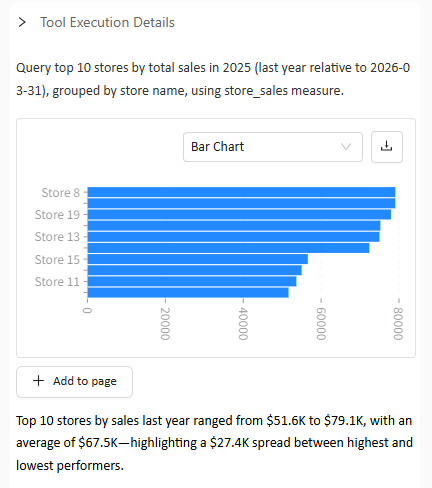
Which were the top 10 stores by sales last year?
2
STEP 02
Generate charts and conclusions
Return visual output first, not just narrative text.
3
STEP 03
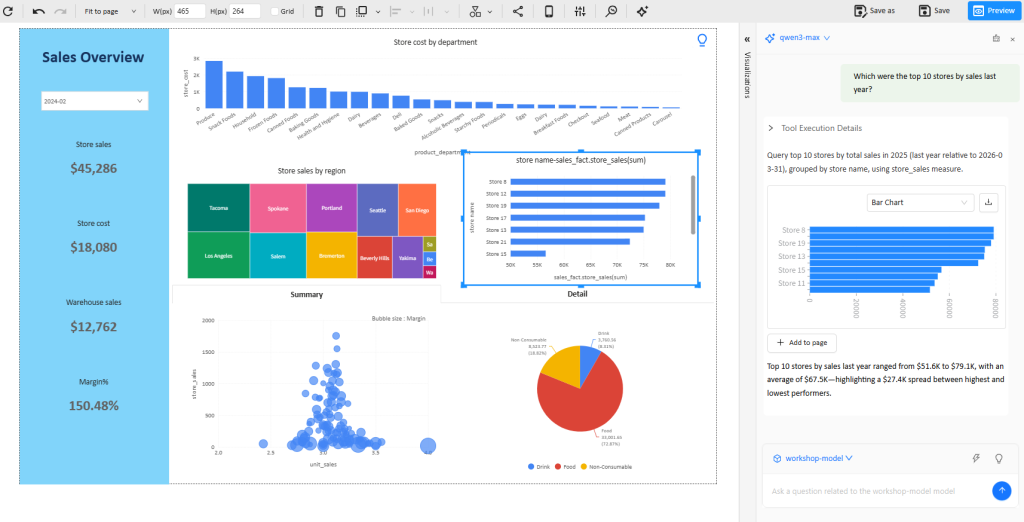
Use it in workflow
The result becomes part of the dashboard or product experience, so users can add, reuse, or continue analysis without leaving the current workflow.
4
STEP 04
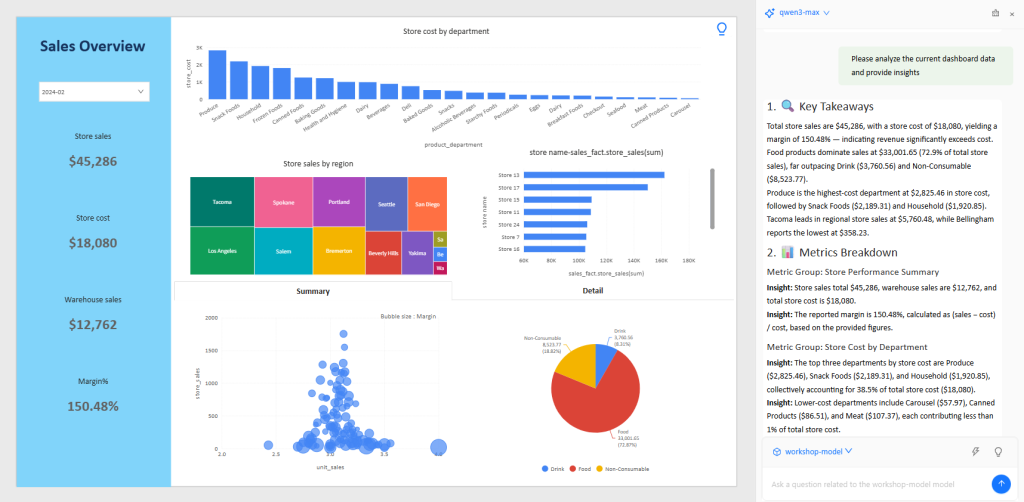
Surface insights
AI highlights trends, anomalies, and next-step questions so teams can move from raw output to interpretation faster — without losing context.
Why it fits
Why teams can trust the output
AI is only useful in analytics when it stays aligned with governed definitions and context.
Grounded in business logic
Outputs stay closer to the metrics and definitions teams already use.
Closer to valid outputs
Results are designed to become charts, measures, filters, and views.
Built for review and reuse
Users can inspect, refine, and build on the result.
See AI Analytics in a real workflow
Explore how Datafor helps teams move from question to governed analytical output faster.